



Download TinyChat APK – Free Video Chat App, Group Video Call, Android 4.1+
Overview
TinyChat is a free Android application designed for real-time video communication, offering users the ability to engage in group video chats with up to 12 participants. The app is ideal for casual conversations, social gatherings, or spontaneous meetups with friends and strangers alike. Its core purpose is to provide a straightforward and accessible platform for face-to-face interaction without the need for complex setup or advanced technical knowledge.
The target audience includes general consumers, particularly those seeking a lightweight solution for informal video calls. While the developer, Tinychat, is not described in further detail, the app is positioned as a simple, no-frills tool for social connection. Real-world usage scenarios include virtual hangouts, casual check-ins, or meeting new people in open chat rooms.
The app emphasizes ease of access and immediate usability, allowing users to start a session with minimal effort. It supports Android 4.1 and above, making it compatible with a broad range of older and newer devices. A stable internet connection is recommended for optimal performance, as video streaming depends heavily on network reliability.
Key Features & Capabilities
- Group Video Chat Support – Enables real-time video calls with up to 12 participants in a single room, ideal for small group interactions.
- Simple and Clean Interface – Designed for intuitive navigation, allowing users to start and manage calls without a steep learning curve.
- Free to Download and Use – No cost to access the core video chat functionality, making it accessible to a wide audience.
- Random Chat Rooms – Offers the option to connect with strangers in open chat environments for spontaneous conversations.
- Video Filters and Effects – Includes fun visual enhancements that users can apply to their video feed during calls.
- Low Barrier to Entry – No account creation required for basic use, allowing immediate access to video chat features.
These features cater to users who prioritize simplicity and accessibility over advanced functionality. For example, a group of friends can quickly initiate a video call to discuss plans, while others may explore random chat rooms to meet new people. The inclusion of filters adds a playful element, enhancing user engagement during casual interactions. The app’s lightweight design ensures it can run on devices with modest hardware, supporting its goal of broad accessibility. However, the developer did not specify additional capabilities such as screen sharing, recording, or chat history.
User Interface, Workflow & Performance
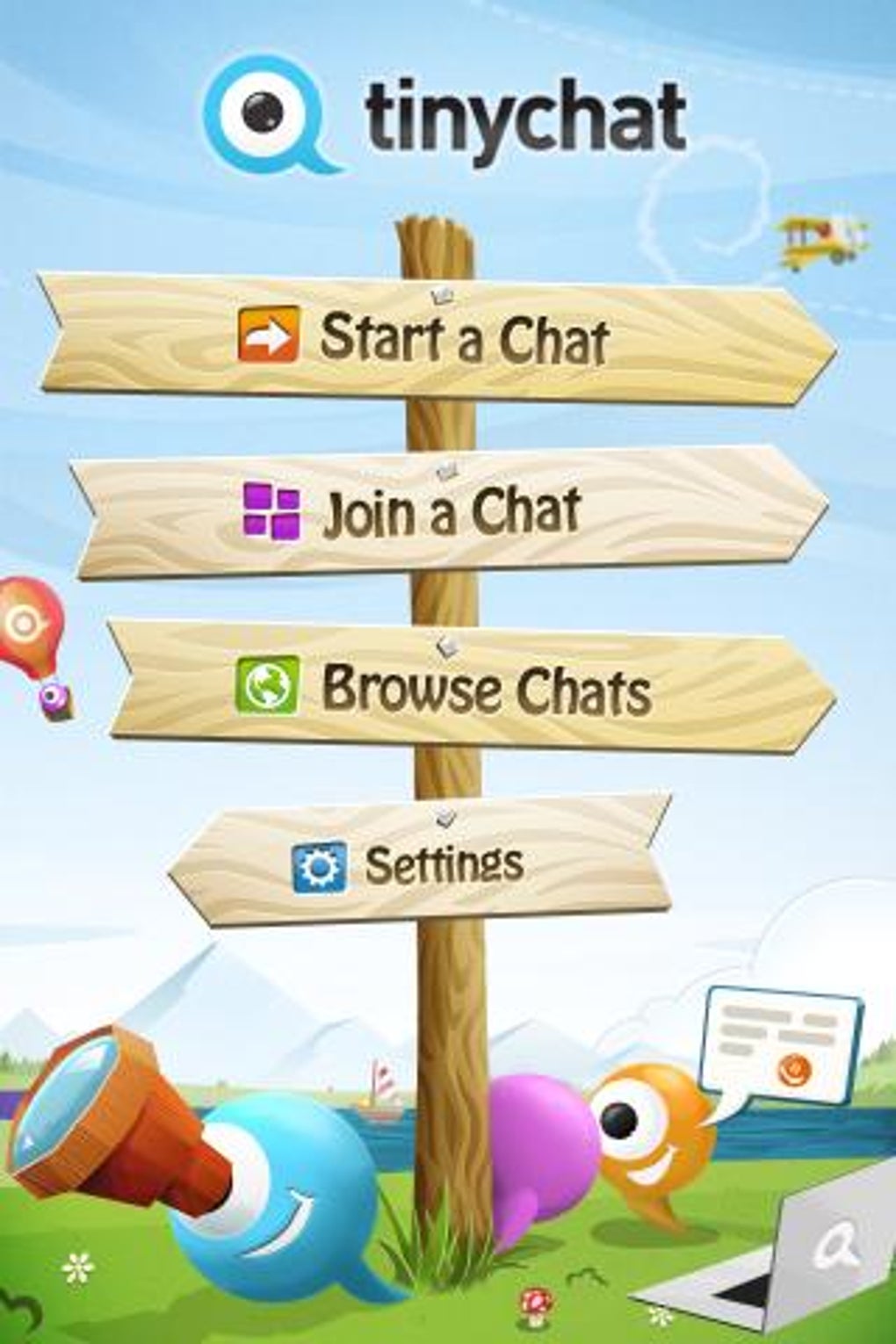
The user interface of TinyChat is structured around simplicity, with a clean layout that prioritizes core video call functions. Navigation is straightforward, with main actions like “Start Chat” and “Join Room” prominently displayed. Users can easily switch between camera views, apply filters, and manage call settings without navigating through multiple menus.
The workflow is optimized for speed, allowing users to enter a video session within seconds of opening the app. Performance observations are based on general software behavior patterns, as specific benchmarks were not provided. The app is designed to function efficiently on devices running Android 4.1 and up, suggesting it is built with lightweight code to minimize resource consumption.
However, exact performance details were not specified, including CPU or RAM usage. Stability during extended calls is not confirmed, but the app’s minimal design suggests a focus on consistent operation. Users should ensure a stable internet connection to avoid disruptions, as video quality and call reliability depend heavily on network conditions.
Compatibility & System Requirements
TinyChat is designed for Android devices, with compatibility confirmed for Android 4.1 and higher. This broad range allows the app to run on a wide variety of smartphones and tablets, including older models. The installation size is not specified, so users should anticipate variable download and storage requirements based on device configuration.
The developer did not provide additional system requirements, such as minimum RAM, processor speed, or GPU specifications. As such, exact hardware compatibility remains unclear. Users are advised to check their device’s operating system version and ensure it meets the minimum Android 4.1 requirement.
No information was provided about compatibility with tablets, wearables, or other Android-based platforms. The app is distributed as an APK file, meaning it can be installed directly from external sources, which may require enabling “Unknown Sources” in device settings.
Pros and Cons
Pros
- Free to download and use with no hidden costs
- Simple interface suitable for users of all experience levels
- Supports up to 12 participants in a single video call
- Offers fun filters and effects for enhanced video experience
- Compatible with Android 4.1 and newer devices
- Immediate access without account creation
Cons
- No information provided about screen sharing or recording features
- Exact system requirements and performance metrics are not disclosed
- Relies on stable internet connection for consistent video quality
- APK distribution may raise security concerns for cautious users
- Limited functionality compared to full-featured video conferencing tools
FAQ Section
Is TinyChat available for iOS devices?
Based on the provided information, TinyChat is currently designed for Android only. There is no mention of iOS compatibility.
Can I use TinyChat without creating an account?
Yes, the app allows users to start video chats immediately without requiring an account, making it ideal for quick, anonymous interactions.
Does TinyChat support screen sharing during calls?
The provided details do not mention screen sharing functionality. It is not confirmed whether this feature is available.
Is the APK file safe to download?
While the app is described as a free program by Tinychat, users should exercise caution when installing APK files from external sources. It is recommended to download from trusted platforms and verify the source before installation.
How often does TinyChat receive updates?
The release date and update frequency were not specified. Users should check the developer’s official channel for the latest version and security patches.
Final Thoughts
TinyChat delivers a no-nonsense approach to video communication, focusing on accessibility, simplicity, and immediate usability. Its ability to support group video calls with up to 12 participants, combined with a clean interface and fun visual effects, makes it a solid choice for casual users and social explorers. While it lacks advanced features like screen sharing or recording, it excels in its core purpose: enabling quick, easy video interactions.
The app’s compatibility with Android 4.1 and above ensures it can reach a wide audience, including users with older devices. However, the absence of detailed system requirements and performance data means users should rely on general best practices for installation and usage. For those seeking a free, straightforward video chat tool for friends or random conversations, TinyChat offers a functional and lightweight solution.
Download TinyChat now and start connecting with others in real time.





.png)

